
Budgeting for OnlyFans When Prices Shift Mid-Cycle
OnlyFans subscriptions are easy to budget for until a creator changes their price mid-cycle. That single adjustment can stop your auto-renewal, shift your monthly costs, and force a decision you did not plan for. This guide walks through the mechanics of price changes, how to track them, and how to rebuild your spending plan without losing access you already paid for. BestOnlyFans refreshes its rankings every month.
Most budgeting advice assumes fixed monthly costs. Subscription platforms do not work that way, and BestOnlyFans ranking data shows how often pricing shifts across the creator landscape. The practical answer is not to avoid price changes but to build a routine that absorbs them.

How Price Changes Trigger Auto-Renewal Stops
When a creator raises their subscription price, the platform disables auto-renewal on existing subscriptions. This is a protective mechanic, not a punishment. Your access continues until the current paid period ends, and you keep everything you already unlocked.
What this means in practice: your renewal date arrives, and instead of a silent charge, you get a decision point. Nothing renews until you actively confirm the new rate. If you do nothing, access lapses at the end of the period.
A price decrease behaves differently. If a creator lowers their rate, auto-renewal continues and you are charged the new, lower amount when the cycle rolls over. Promotional periods are a third case entirely, and this is where most subscribers get surprised.
| Scenario | Auto-Renew Status | Subscriber Access |
|---|---|---|
| Creator raises price | Auto-renew stops | Continues until paid period ends |
| Creator lowers price | Auto-renew continues | Charged at new lower rate |
| Promotional period ends | Renews if auto-renew active | Charged at full base price |
That third row catches people constantly. A $3 first-month promotion is allowed, but the base price underneath it must be at least $4.99 and can run as high as $49.99. When the promotion expires, the renewal charge jumps to the base rate. If auto-renew is still on, you are charged automatically at the higher figure.

Tracking Active Subscriptions Before Changes Hit
You cannot budget for a change you never noticed. The good news is that every price adjustment leaves a visible trace somewhere in your account or inbox. The work is checking those traces on a schedule instead of reacting after a failed renewal.
Start with notification emails. Price changes generate messages, and those messages tell you the new amount and the effective date. Then move into your account settings and confirm the renewal status of each subscription on your list.
- Review email notifications for any pricing or renewal updates.
- Check account renewal settings for each active subscription.
- Note any pending price changes and their effective dates.
- Verify access end dates so you know exactly when a lapse would occur.
- Flag creators who adjusted rates recently for closer review.
Run this audit once a month. It takes a few minutes and it converts a surprise into a planned expense. Subscribers who skip this step usually discover the change only when a charge does not appear or when access disappears.
Recalculating Your Monthly Allocation
A fixed budget does not break when one line item changes. It needs rebalancing. The math is straightforward once you know the new numbers, and there are only a few realistic ways to absorb an increase.
- Absorb the increase by reducing tip spending for the month.
- Replace the subscription with a lower-cost alternative creator.
- Shift to a free page with a controlled pay-per-view cap.
- Pause the subscription entirely and revisit it next month.
The right choice depends on how much room your budget actually has. The table below shows how three common budget tiers respond to the same kind of disruption.
| Original Budget | Price Change Impact | Adjusted Allocation |
|---|---|---|
| $15 monthly, one $10 subscription rising to $15 | Entire budget consumed by one subscription | Drop tips to zero or move to a lower-cost alternative |
| $25 monthly, two subscriptions affected | Roughly $8-$12 added across both renewals | Keep one at the new rate, shift the other to a free page |
| $40 monthly across five or more subscriptions | Multiple small increases compound | Rebalance actively; cap PPV at a set monthly figure |
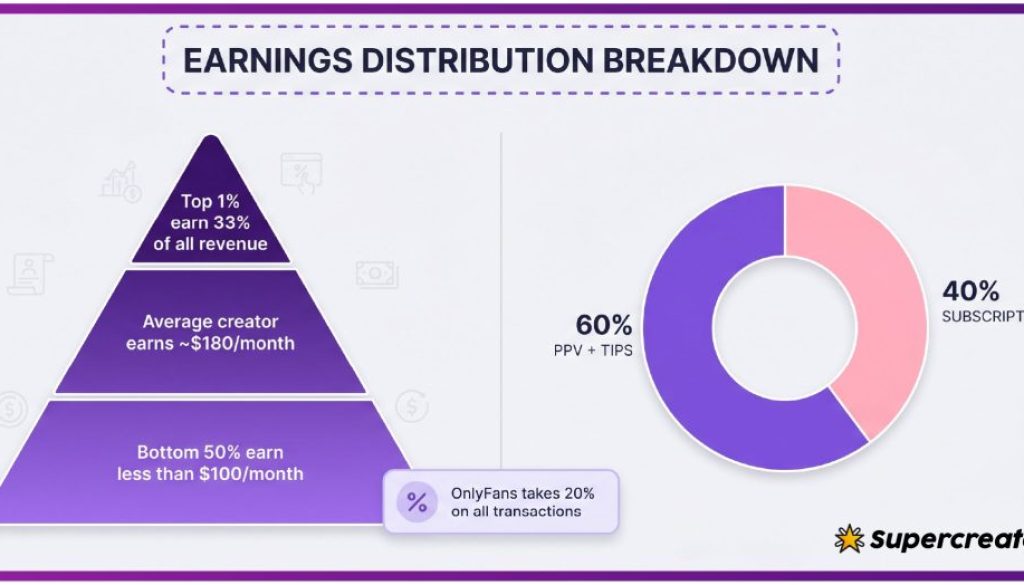
Remember the platform fee structure when doing this math. Creators keep 80% and the platform takes 20%, so a higher subscription price does not translate into a proportional content increase. You are paying more for the same output unless the creator also changes their posting behavior.

Tip: when a price increase lands, do not decide on the same day. Wait until you have seen two or three posts at the new rate. Renewing out of habit is exactly how budgets drift.
Comparing Creator Value at New Price Points
Not every increase deserves to be absorbed. Some creators post consistently and the higher rate still represents reasonable value. Others raise prices while output stays flat or declines. Ranking cards give you the data to tell the difference.
This is where a structured comparison beats a gut feeling. Pull the same five data points for each creator you are evaluating and compare them side by side before deciding.
- Posting frequency and how regular the schedule actually is.
- Engagement rate relative to subscriber count.
- Content type consistency across recent months.
- Historical price stability, including past increases.
- Subscriber sentiment indicators from public reviews and discussions.
The typical paid subscription range runs from $4.99 to $49.99, with most clusters sitting between $5 and $15. A creator moving from $8 to $12 is still inside the normal band. A creator moving from $10 to $30 is asking for a fundamentally different level of commitment, and the content should reflect that.
Readers comparing options across the platform often use curated lists of bestonlyfans subscribers to see which accounts hold their pricing steady over long periods, because stability itself is a signal worth tracking.
Switching to Free Pages with Selective PPV
Many creators run a free page alongside a paid tier. A free page sets the subscription price to $0 and earns through pay-per-view messages and tips instead. This gives you a way to stay connected without a recurring charge.
The risk is obvious: without a fixed subscription cost, spending is entirely discretionary and easy to lose track of. PPV unlocks can reach $50 each, paid chat commonly runs $3-$5 per message, and tips can hit $100. A free page with no cap is not a budget strategy.

- Confirm the creator actually operates a free page.
- Set a hard monthly PPV cap before you subscribe.
- Test content quality with one low-cost unlock first.
- Compare total monthly spend against the old subscription rate.
That fourth step is the one people skip. If you spend $22 on PPV in a month to replace a $12 subscription, the switch cost you money. Run the comparison honestly for at least one full cycle before committing to the free-page model.
Building Price-Change Alerts Into Your Routine
Reactive budgeting fails because price changes arrive quietly. A calendar-based routine fixes that. Three recurring habits cover almost every scenario without turning subscription management into a project.
- Monthly subscription audit: check renewal status and access end dates.
- Weekly notification review: scan inbox for pricing messages.
- Quarterly budget recalculation: compare planned spend against actual spend.
Put these on a calendar with reminders. The quarterly recalculation is the most valuable of the three because it surfaces drift you would otherwise miss. Planned spending and actual spending diverge slowly, and a quarterly check catches the gap while it is still small.

Documenting Spending Shifts for Future Planning
Forecasting improves when you have a record. Write down every price change you encounter, the date it took effect, and what you decided to do about it. A simple note in a spreadsheet is enough.
After three or four months, patterns emerge. You will see which creators raise prices often, how much your total spend fluctuates, and whether your free-page experiments actually saved money. That record turns guesswork into a forecast.
There is also a security angle worth covering here. Keep two-step authentication enabled on your account so that renewal and billing changes cannot be made without your knowledge. Most platforms support this through account settings, and it takes under two minutes to activate.

One more detail worth recording: the card verification hold. It is $0.10 and refunded within days, but it can appear as a pending charge and confuse your monthly totals if you are not expecting it. Note it once and it stops being a mystery.
Finally, remember that price changes are not the only disruption. Promotional first months below $4.99 expire, and the renewal returns to the base rate. Log those expiry dates the same way you log increases, and your budget forecast stays accurate.
FAQ
If a creator raises their price, do I immediately lose access?
No. Auto-renewal stops, but your access continues until the current paid period ends. You keep everything you already unlocked during that period, and nothing renews until you actively confirm the new rate.
Can I manually renew at the old price if auto-renew was cancelled?
No. The old rate is gone once the change takes effect. A promotional rate below $4.99 may have applied during a first month, but base pricing always starts at $4.99 and renewal happens at whatever the current listed price is.
How do I know if a creator’s free page offers comparable content to their paid tier?
Check the free page directly before cancelling anything. Free pages usually offer lighter public posts and rely on pay-per-view for the fuller material, so compare the actual posting volume rather than assuming the two tiers match.
What information do BestOnlyFans ranking cards display about price history?
Ranking cards typically show current pricing, historical price stability, posting frequency, and engagement indicators. That combination lets you judge whether a higher rate reflects a genuine content increase or just a pricing change.